Data
A data model built around your game
You describe the roles, permissions and data of your game; the panel adapts to them.

The panel for your custom game server, connected with game bridge: a lightweight module between your server and the panel.
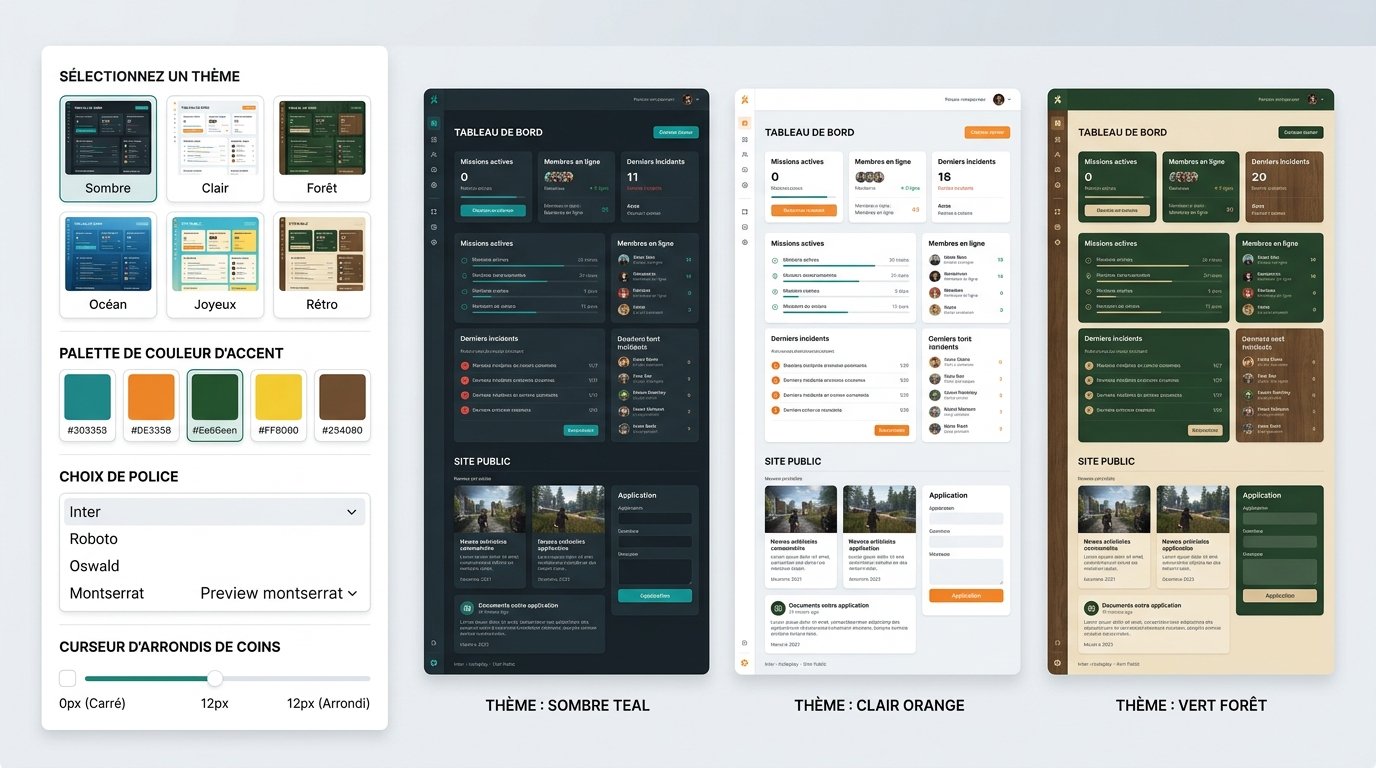
You describe the roles, permissions and data of your game; the panel adapts to them.
Your game sends its events to the panel and can receive its orders.

Theme, fonts and palette to match your identity.

You copy the module, enter the panel address and a key. The panel shows the state from the first connection.

You choose what is sent: logins, transfers, arrests. The rest never leaves the server.

Approving an application or lifting a ban can trigger an action on the server through the bridge.

The game bridge connects your custom game server to the panel: the events you pick (players, roles and data specific to your game) go up, and the panel’s orders come back down. Every in-house game is a special case: details are to be validated with your project. The game bridge is optional.
In four steps
Pick the game and the starting theme.
Ranks, permissions and the staff whitelist.
Link the technology to your server.
Your server’s public website goes live.
Every in-house game is a special case: details are to be validated with your project.
Not to get started: the panel works on its own. The game bridge, the API or database sync are optional and can be connected later.
Yes, the website theme can be changed whenever you want.
The game bridge connects your custom game server to the panel: the events you pick (players, roles and data specific to your game) go up, and the panel’s orders come back down. The game bridge is optional.
With another technology
The same panel for another game
Create your panel and connect your server whenever you want.
Create my panel